
Stop the Chaos: A Weekly Social Media Plan for Small Teams
It’s 4 PM on a Tuesday. You realize you haven't posted on Instagram since last Thursday. You scramble to find a photo on your phone, write a caption that feels "good enough," an...




Upload your content once and schedule it to go live across TikTok, Instagram, Facebook, and YouTube. No app-switching required.
Think of CRESQA as your creative partner: it connects your platforms, generates ideas, and posts for you, so you can spend more time making, not managing.
Tell CRESQA what your brand or project is about and who your audience is.
Link your TikTok, Instagram, Facebook, and YouTube accounts in a few clicks.
Let AI brainstorm scroll-stopping content ideas tailored to your brand.
Pick a date, hit schedule, and CRESQA posts it for you automatically.

“ I just banged out a month's worth of content during a single cup of coffee. “

“ Okay, CRESQA is pretty amazing! You've really created something incredible here! “
Post everywhere your audience hangs out. CRESQA connects to the biggest social platforms so you can schedule and publish from one place.
Generate personalized post ideas in seconds based on your brand, audience, current trends, and selected vibe.
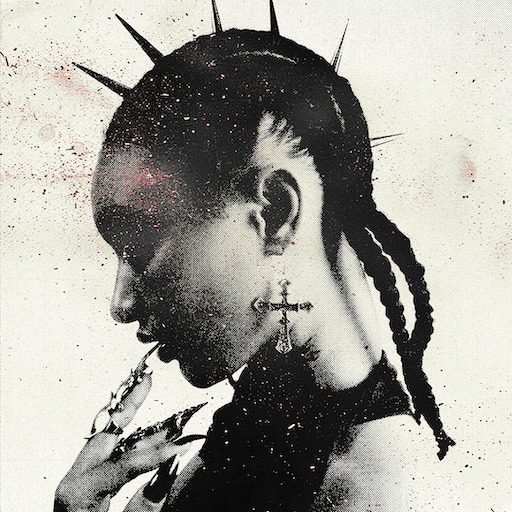
Genre
Hyperpop
Location
Berlin, Germany
Vibes
Whimsical, Edgy
Genre
Alt Rock
Location
Seattle, USA
Vibes
Funny, Adventurous
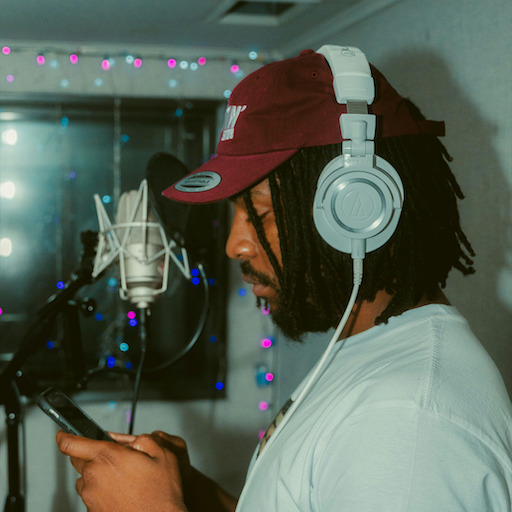
Genre
Hip-Hop
Location
London, UK
Vibes
Inspirational, Edgy
A synth-heavy track with a beat reminiscent of Grimes. The creation involved using vintage analog synths and custom software patches that I will sell on my website. The song is about feelings of anxiety.
Bracelets that I make myself from recycled silver - each of these is unique due to the DIY process. I want to promote them as a sustainable alternative to store-bought jewelry.
I am playing at Loft Main Floor at 20:15PM and my stage setup is going to be very interesting - I'll have a projector that beams live visualisations of the sound that I'm playing, a bit like the iconic windows media player animations.
The song is about the indie scene itself, specifically playing shows in cramped, sweaty venues. We recorded some of the crowd noise from one of our basement gigs and added it to the song.
A limited edition t-shirt featuring the band’s logo and a quirky design inspired by the song. The band wants to promote it as a collectible item for fans.
Our first time playing in Portland and also first time at a festival ever.
The song tells the story of building something meaningful from the ground up, piece by piece. Referencing Ghostflow's journey from Smethwick to London, the track highlights the struggles of staying grounded while constantly evolving.
All-black hoodie with Ghostflow's logo in the front. The sleeves say "Concrete Flowers" tying in with the title of his album.
Ghostflow's first headline tour across the UK, featuring tracks from his debut album 'Concrete Flowers'.

Idea:
Create a montage of neon-lit Berlin streets and Glitch Pixie performing 'Neon Nightmares'. Use quick cuts to mimic a trippy dream sequence.
Tip: Prompt viewers to share their own 'cyberpunk' city clips using the song.

Idea:
Capture a close-up shot of the vintage analog synths used in creating 'Neon Nightmares'.
Tip: Use neon lighting for a futuristic look. In the caption, ask fans which synth sound stands out to them.

Idea:
Create a series of questions about the track's lyrics.
Tip: Use interactive quiz stickers, and reward correct answers with a custom patch giveaway.
Idea:
Compare a DIY asymmetrical bracelet to a store-bought one and explain why DIY wins.
Tip: Encourage comments on which bracelet style they prefer and why.
Idea:
Photo of Glitch Pixie creating bracelets in a messy, artistic studio. Silver pieces, tools, and unfinished bracelets scattered around.
Tip: Caption with 'Each piece is a labor of love and creativity. Which tool do you think I use the most?' to prompt comments
Idea:
Showcase creating the asymmetrical bracelets at home, highlighting unique designs
Tip: Use close-up shots of your hands crafting the bracelet. Add a poll: 'Which design do you love most?'
Idea:
Share a sneak peek of your projector setup with live visuals. Explain how it transforms your performance into a unique experience.
Tip: Invite followers to guess what visuals represent the song.
Idea:
A photo of a starry night sky with concert details overlaid in a whimsical font.
Tip: Include a countdown timer in your story, ask followers to share their favorite concert memory.
Idea:
Post snippets of songs and challenge fans to guess the setlist.
Tip: Use the quiz feature, and add a playful caption about surprises awaiting in Vienna.
Idea:
Talk about how you recorded real crowd noise from a basement gig, making the song super authentic.
Tip: Encourage followers to share their basement gig stories in comments.
Idea:
Share a behind-the-scenes photo from the recording session with crowd noise.
Tip: Use a gritty, unpolished filter. Encourage fans to share their favorite live concert moments.
Idea:
Post past gig pics and ask fans to vote on their favorite memory or venue.
Tip: Use poll stickers for engagement. Caption: 'Which gig was the wildest? Vote now!' #SeattleSound
Idea:
Play a short, unreleased riff while wearing the t-shirt. Ask followers to guess the song's theme in the comments, sparking interaction.
Tip: Add quirky on-screen text inviting viewers to 'Join the Jam'.
Idea:
Capture the band wearing the Urban Legends T-Shirt in front of the Pike Place Market.
Tip: Encourage fans to share their Seattle T-shirt photos to win exclusive band merch.
Idea:
Sneak peek! Here's the quirky design process behind our new tee. You might spot an Urban Legend or two!
Tip: Share sketches or digital designs with a 'Guess the Legend' quiz sticker.
Idea:
Capture band rehearsals and funny moments while preparing for the Permanent Adolescence Festival. Add cuts of you hyping up the event.
Tip: Invite fans to comment their festival must-haves or tips.
Idea:
Shot of the band packed in a van with instruments, heading to Portland. Capture the excitement and adventure vibe.
Tip: Caption could ask fans for Portland tips or favorite songs to play on the road.
Idea:
Create a countdown for the festival day. Share excitement with personal notes about what Portland means to them.
Tip: Use countdown sticker and encourage followers to set reminders.
Idea:
Show a time-lapse of you creating something meaningful, brick by brick, while your song plays in the background.
Tip: Ask viewers to comment on their personal 'brick by brick' stories.
Idea:
Photo of Ghostflow performing on a busy London street.
Tip: Encourage followers to share their favorite street art or performance location in the comments.
Idea:
Post pics from key places in London that inspired 'Brick by Brick'. Ask followers to guess the location with a quiz sticker.
Tip: Include locations like Smethwick and Central London. Use the location sticker for each place.
Idea:
Showcase various outfits centered around the Ghostflow hoodie, blending streetwear with activism vibes, emphasizing its versatility.
Tip: Encourage followers to share their own styling tips in the comments.
Idea:
Capture a close-up of the hoodie sleeve with 'Concrete Flowers' graffiti in a London alley
Tip: Use a vibrant urban setting in London for authenticity. Engage by asking followers where they'd wear it
Idea:
Show Ghostflow at home, chilling in the hoodie, sipping tea. Add a poll: 'Who's joining the chill vibes?'
Tip: Use a cozy, relaxed setting. Caption: 'Sunday mood or everyday mood?' Add a tea emoji ☕ for extra warmth.
Idea:
Sneak peeks of tour prep, rehearsals, and exclusive backstage moments.
Tip: Encourage fans to comment on what they hope to see on tour.
Idea:
Photo of Ghostflow overlooking London's skyline with the concert date written creatively in the sky.
Tip: Include a caption inviting fans to share their favorite London memory in the comments.
Idea:
Use a countdown sticker for the tour date. Share anticipation and excitement for the first headline tour.
Tip: Add a call to action like 'Set your reminder!' to boost engagement.
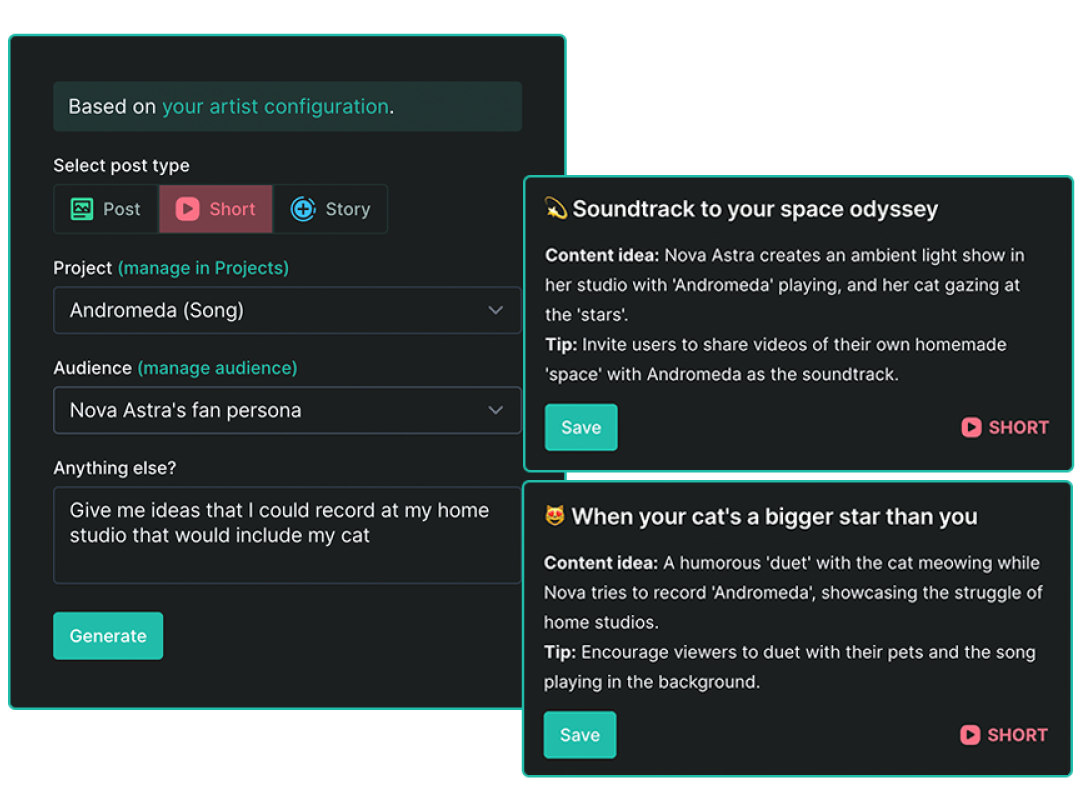
Content ideas tailored to your voice, your vibe, and your audience. Skip the blank page—CRESQA uses AI to generate content prompts that match your style, goals, and tone of voice.
Your ideas are based on:
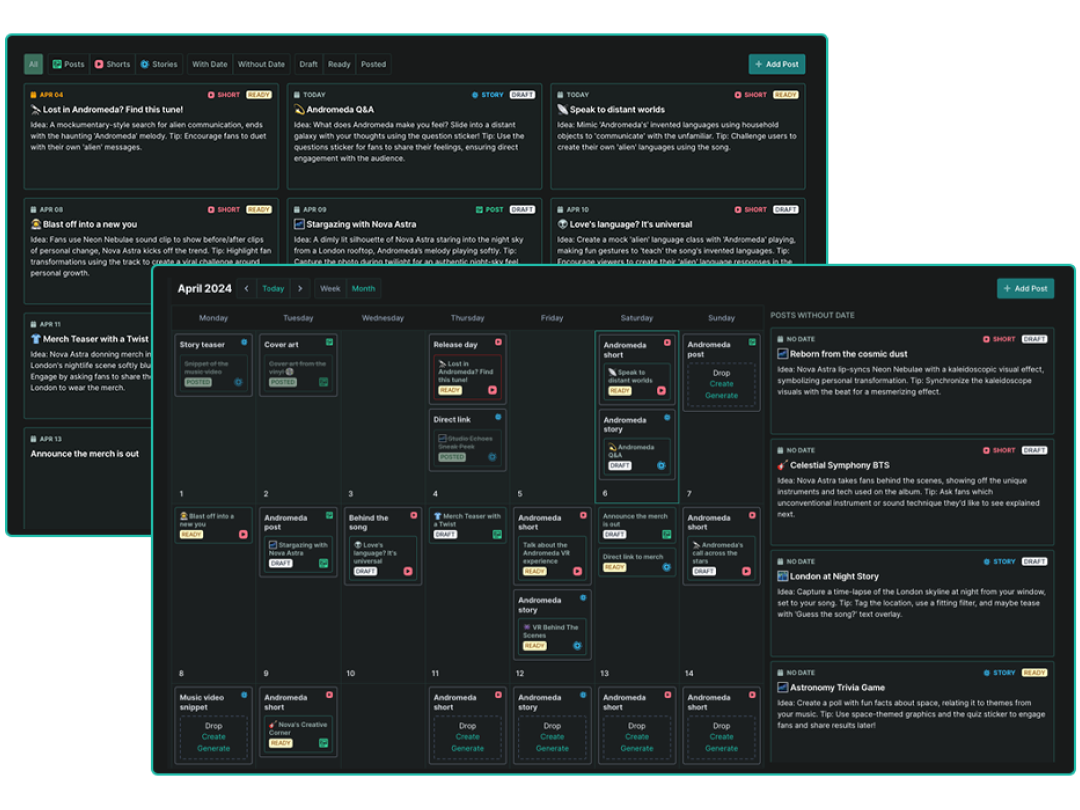
Drag. Drop. Done. Plan your content at a glance with our intuitive calendar. Rearrange posts by dragging them, brainstorm ideas in the sketchpad, and switch between week and month views to stay in control.
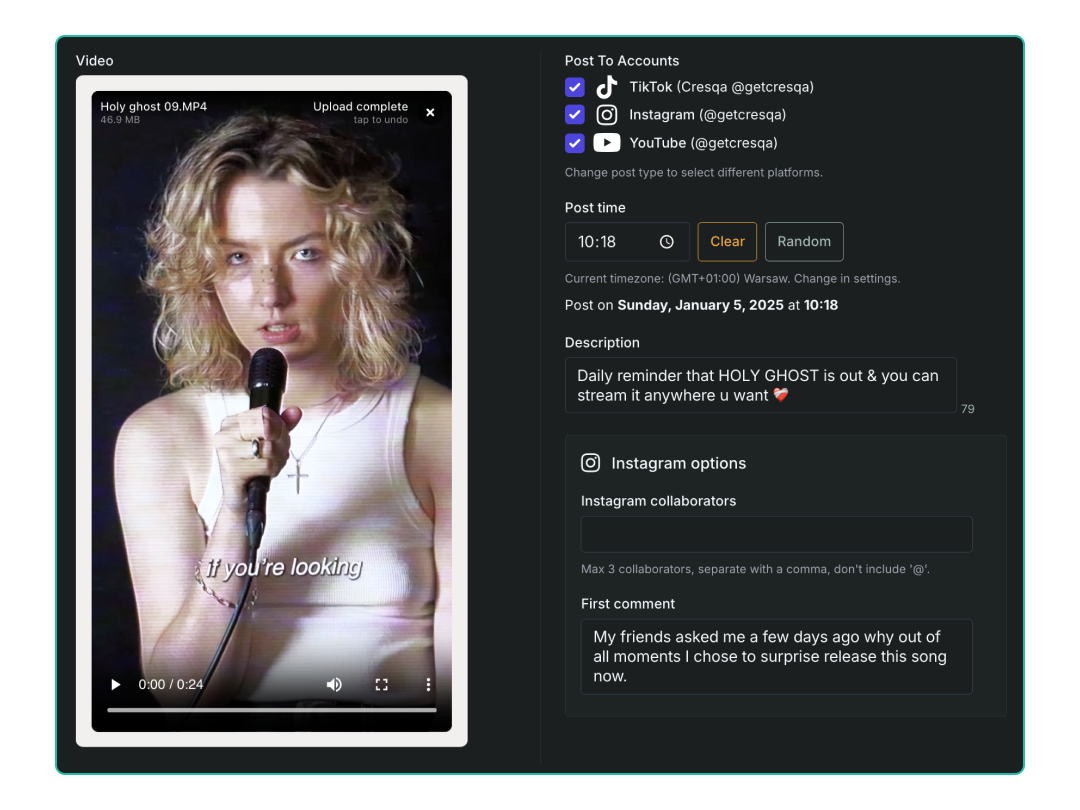
Set it and forget it. CRESQA posts for you. Once your content is ready, schedule it to go live across all major platforms. No app-switching required.
Supported formats:

“ CRESQA’s ideas had inspired me to create more content which indeed got really good results. You're never gonna run out of content ideas when CRESQA has got your back. “
“ Amazing AI tool that helps you generate creative content ideas tailored to your brand and audience (and much, much more!) I was among the first to test it out and absolutely loved it! “
Let CRESQA learn about you, your projects, and your target audience. Generate AI post ideas, plan your content, and let CRESQA post it for you.
CRESQA is an AI-powered social media scheduling tool that helps creators and businesses plan, schedule, and automatically post content across multiple platforms from one place. It features:
CRESQA supports automatic posting to Instagram (posts, reels, and stories), TikTok (videos), Facebook (posts and reels), and YouTube Shorts. The AI Idea Generator works for any platform, the content ideas it creates can be adapted to wherever your audience is.
Yes! CRESQA lets you schedule and automatically post your photos and videos to Instagram (posts, reels, stories), TikTok (videos), Facebook (posts and reels), and YouTube Shorts. Just pick a date and time, upload your content, add your caption and any extra details like Instagram collaborators or a first comment, and CRESQA handles the rest.
CRESQA is for anyone who needs to post consistently but doesn't have time to manage it all manually. That includes artists and musicians, content creators, coaches and freelancers, retail and e-commerce businesses, SaaS companies, event organizers, and media publishers. Whether you're a solo creator or a growing brand, CRESQA helps you plan content, generate ideas, and schedule posts across all your platforms from one place.
No, CRESQA doesn't have a mobile app yet, but we're always open to feedback and suggestions. For now, CRESQA works seamlessly in your mobile web browser. iPhone users seeking quicker access can easily add CRESQA as a website icon to their Home Screen. Here’s how:

“ As a music professional and an artist, I see massive potential in CRESQA. It provides insights I would never have thought of, and it allows me to manage my social media more seamlessly. “
Let CRESQA learn about you, your projects, and your target audience. Generate AI post ideas, plan your content, and let CRESQA post it for you.
It’s 4 PM on a Tuesday. You realize you haven't posted on Instagram since last Thursday. You scramble to find a photo on your phone, write a caption that feels "good enough," an...

If you’ve ever stared at a blinking cursor, opened Instagram, and then immediately closed it because the sheer thought of writing a caption felt like lifting a heavy weight, you...

Ever feel like your social media marketing is a second full-time job? You're not alone. Studies show that 43% of small business owners spend roughly six hours per week on social...